0
Ever wished you had a space where you could just build whatever wild idea pops into your head, wire up weird contraptions, and watch absolute physics-fueled chaos break loose? That’s pretty much why everyone fell in love with Melon Sandbox Online. It’s the ultimate digital playground where your imagination gets to run completely wild.
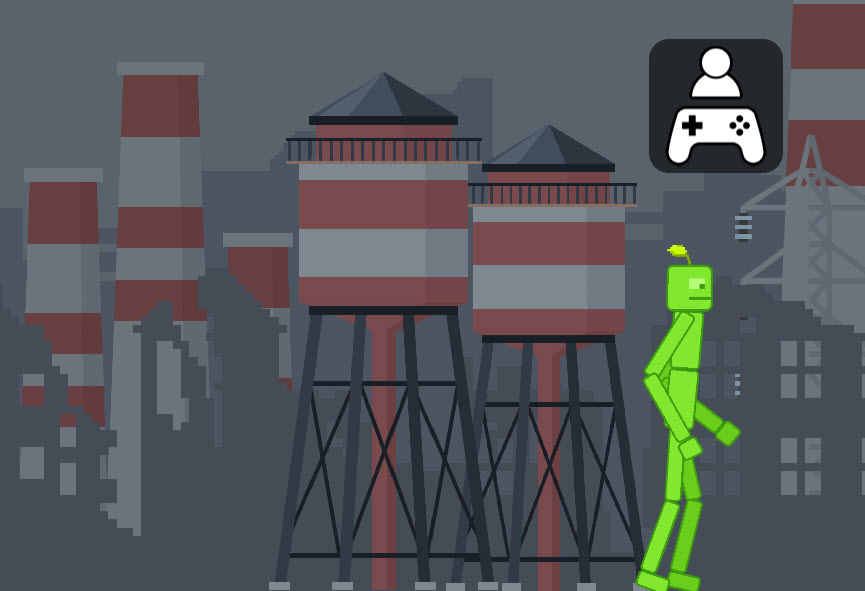
The best part about Melon Sandbox is the total, unfiltered freedom. It pairs bright, easy-to-navigate maps with this hilariously goofy ragdoll physics engine, so every collision, crash, and explosion feels totally unexpected and fun.
Here’s what makes it so addicting:
Unleash Your Inner Creator: Whether I’m in the mood to build a quiet little neighborhood scene or construct a total sci-fi battleground, I get to call all the shots.
Zero Learning Curve: You don't need to pore over a boring manual. You just tap, drag, drop, and you're already in the thick of it.
Real (and Ridiculous) Physics: Every single item has weight and momentum. Stacking things ridiculously high, knocking them down, or setting off elaborate domino chains never gets old!
Honestly, jumping in couldn't be easier—you just launch it in your browser or pull up the app. No annoying downloads or endless tutorials standing between you and the fun. Here’s a quick breakdown of how I like to get started:
Choose from 12 grid-based maps, ranging from wide-open flatlands to structured layouts. You can even tweak the lighting and environmental themes to set the perfect mood for your build.
Open up the spawn menu to populate your world. You’ll find ragdoll characters, tools, furniture, vehicles, and weapons. Drag them onto the map, then scale, rotate, freeze, or delete items as you see fit.
Want to make things move automatically? Use the wiring system to connect buttons, switches, and generators. You can hook up working doors, activate traps, or trigger massive chain reactions with a single press.
Launch rockets, collide speeding cars into walls, or stack high towers. Thanks to the dynamic ragdoll engine, no two experiments ever play out the same way.
When your map gets a little too chaotic (or cluttered!), simply hit the "Clear Everything" button for a fresh, clean slate in an instant.
Melon Sandbox is designed to play smoothly whether you are on a phone, a tablet, or a desktop computer.
Platform | Quick Control Guide |
PC (Mouse & Keyboard) | Left Click: Grab/place objects Right Click: Action menu (freeze, activate, delete) Scroll: Zoom camera WASD/Arrows: Pan map R Key: Rotate objects |
Mobile & Tablet (Touch) | Tap: Select or place Hold & Drag: Move stuff around Pinch: Zoom in/out Double Tap: Rotate items Icons: Access menus and tools |
Gamepad (Emulators) | Left Stick: Pan camera Right Stick: Aim pointer A Button: Select B Button: Back/Delete Triggers: Rotate/Cycle items |
If you are staring at a blank map and wondering where to start, try one of these fan-favorite ideas:
The Crash Test Lab: Line up ramps, spawn cars or tanks, and launch them full-speed into brick walls to observe the physics. The Mega Chain Reaction: Set up barrels, explosives, and falling weights in a domino-style trail. Hit trigger #1 and watch the screen light up!
A Peaceful Town: Build a cozy neighborhood with trees, greenery, houses, and friendly ragdoll inhabitants going about their day.
Rube Goldberg Machines: Connect switches, generators, and moving parts so that dropping one ball sets off a massive 10-step mechanical sequence.
Jump In and Start Creating Today! Melon Sandbox Online is available across multiple platforms—play directly in your web browser, download it on iOS and Android, or play on PC via your favorite emulator.
Grab your tools, spawn your first ragdoll, and see where your curiosity takes you!